
How to Start Affiliate Program in 2027
Start an affiliate program for your business with this 2027 guide to Shopify setup, software, commissions, tracking tests, costs and your first 90 days.

Affiliate program setup · Reviewed 16 October 2027
How to Start an Affiliate Program for Your Business in 2027: Step-by-Step Guide
You do not need hundreds of affiliates to launch. You need an offer that leaves room for commission, a checkout that converts, reliable tracking and someone responsible for helping partners promote.
In this guide, we explain how to start an affiliate program for your business, compare four platform options and turn the first 90 days into a clear working plan.
What does starting an affiliate program involve?
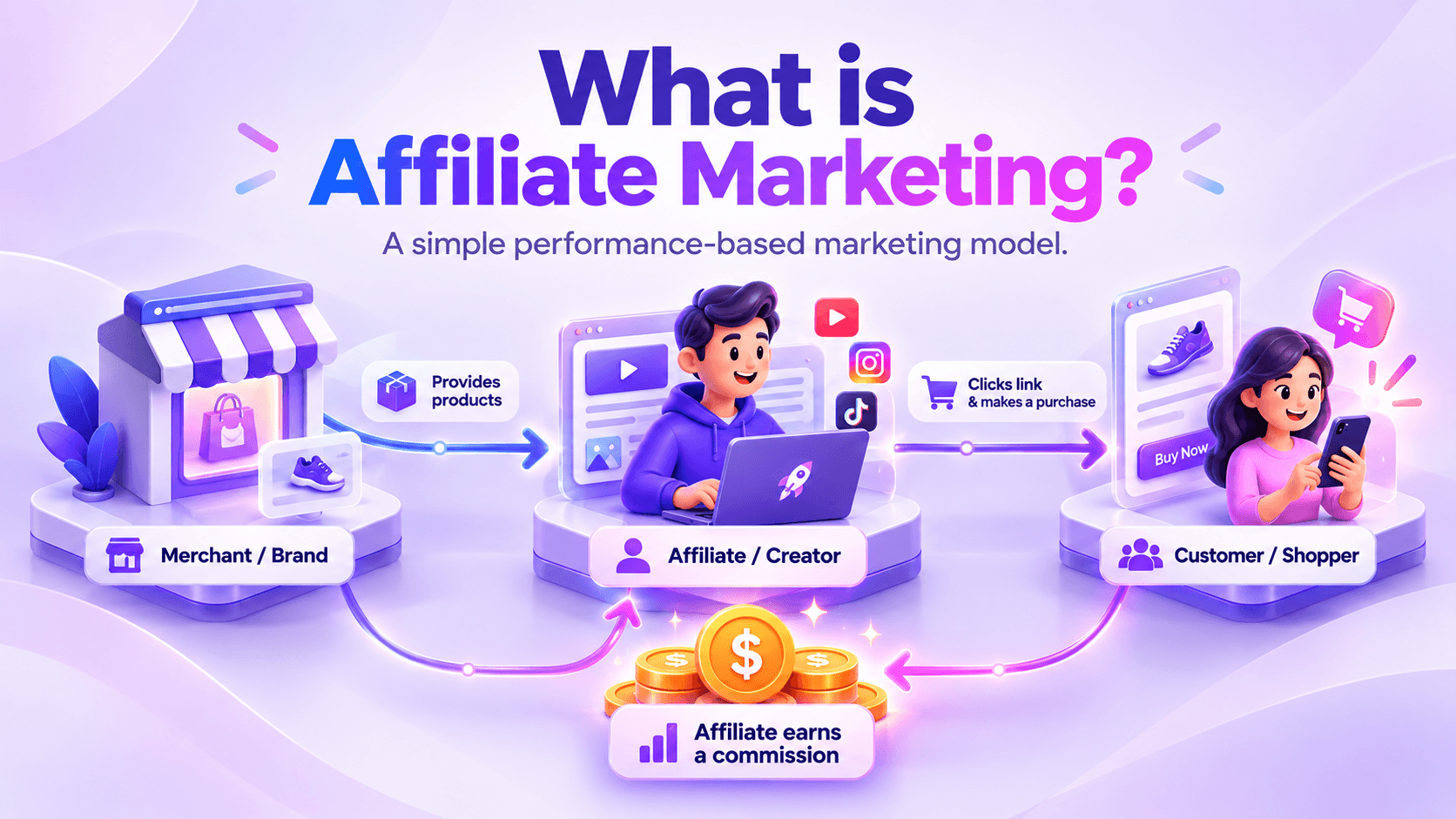
An affiliate program lets approved partners earn commission when their referrals produce an agreed result, usually a qualifying sale. Your business sets the terms, supplies promotional resources, tracks referrals and pays valid commissions.
The software handles part of that process. Your team still needs to recruit relevant partners, answer questions, review orders and improve the offer. A launch is the start of affiliate program management, not the end of it.
- 01 · Check readiness Confirm demand, margin and operational capacity.
- 02 · Build the offer Set goals, commission and partner terms.
- 03 · Configure and test Connect the platform and validate referrals.
- 04 · Recruit and improve Activate partners and review approved results.
Step 1: Check whether your business is ready
Affiliate marketing for business works best when partners have a credible reason to recommend your products. Before choosing software, check whether you can support those recommendations with a dependable buying experience.
Readiness checklist
- Your store accepts orders reliably on mobile and desktop.
- Product pages explain the benefits, price, delivery and returns.
- Existing customer activity gives you evidence of demand.
- You know the contribution left after product and variable fulfilment costs.
- You can fulfil orders and respond to customer problems.
- You can fund commissions, platform charges and ongoing management.
- A named person owns recruitment, support and weekly reporting.
You can launch without a large sales history, but treat that as a test of both your offer and the channel. Affiliates cannot repair an unclear product page, missing stock or an unreliable checkout.
Step 2: Set goals and define an active partner
Choose one main commercial goal: profitable new customers, sales of a specific product range or qualified enquiries. Add operating measures that show where progress stops.
For a new ecommerce program, our suggested weekly funnel is:
Relevant prospects → Applications → Approved partners → Partners sending traffic → Partners generating approved orders
Use separate definitions for approval, traffic activity and sales activity. An approved partner may never place a link. A partner sending clicks may still need help converting those visits.
Track partner-sent sessions where available, pending and approved orders, eligible revenue, commissions and returns. Separate internal test clicks and test orders from customer results. Set targets using your capacity and baseline; invitation volume alone is not a revenue goal.
Step 3: Choose your operating model and platform
In-house management means your team runs the program. Direct software and affiliate networks describe the infrastructure. They are different decisions: your in-house manager can run a program on Awin or CJ, and an agency can manage a direct Shopify program.
Start by listing the publishers or creators you want. Ask which platforms they already use, then compare the tools and cost needed to support them.
Awin vs impact.com vs CJ vs UpPromote
| Option | Worth considering when | Shopify and cost checks |
|---|---|---|
| Awin | You want network-based recruitment and publishers relevant to your market. | Offers a Shopify tracking app. Pricing varies by market and plan; request your regional platform, tracking and service charges. |
| impact.com | You want partnership management with features matched to your intended partner types. | Starter supports Shopify. Its billing guide states the greater of $30 or 2.5% of monthly revenue associated with locked partner costs. Confirm scope and features in your agreement. |
| CJ | Your target editorial, retail or other publisher partners use CJ. | Has a Shopify integration. Obtain an advertiser proposal; installing the app does not replace advertiser account setup. |
| UpPromote | You want a Shopify-focused program for recruited creators, customers or other partners. | Has a free plan with limits. Growth is listed at $29.99/month plus 2% of successful referral sales on monthly billing. |
Platform facts and prices checked on 16 October 2026. Affiliate commissions are separate. Currency, tax, plan limits and signed terms matter. See official sources below.
There is no single best affiliate program software for small businesses. We suggest comparing partner fit, tracking support, payment access, total cost and reporting before choosing. Do not assume the cheapest plan includes every discovery or automation feature shown in a provider’s marketing.
Start with one clear route. Running several platforms from day one adds work around reporting, partner ownership and duplicate commissions. Add another platform when a specific publisher opportunity or operational need justifies it.
Step 4: Set a commission your margin can support
Choose commission after working through the order economics. Use the amount left after product cost, discounts, payment processing, fulfilment and expected returns. Then allow for platform fees and management.
Illustrative order economics
Assume an order has $100 in eligible product revenue, excluding tax and shipping. Product and variable operating costs total $55. That leaves $45 before affiliate-channel costs.
At 10% affiliate commission, the partner earns $10. Assume a separate 2% platform performance fee on the same $100 base: $2. You have $33 left before fixed platform costs, management, overhead and profit requirements.
These are example assumptions, not recommended margins or a platform quote. Check each provider’s actual fee base.
Define eligible revenue explicitly. Does it exclude tax, shipping, gift cards and discounted products? Confirm that the integration uses the same calculation. A quoted 10% rate means little if the dashboard calculates it on a different amount.
You can later test higher rates for valuable placements or new-customer orders where supported. Keep changes time-limited, funded and approved. Avoid promising recurring or lifetime commission unless you can track and honour it.
Step 5: Write clear affiliate program terms
Partners should understand how they earn, what they can promote and when payment becomes available before they publish. Include these points in your program terms:
- Commission: rates, eligible products and excluded amounts.
- Referral window: how long a referral can qualify and which attribution rules apply.
- Order review: treatment of returns, cancellations, fraud and partial refunds.
- Payment: validation timing, payout schedule, methods and thresholds.
- Promotion rules: email, paid search, brand bidding, coupons, self-referrals and sub-affiliate activity.
- Content standards: permitted product claims, asset use and disclosure expectations.
- Changes and termination: notice periods and treatment of commissions already earned.
For US-facing endorsements, the FTC says unexpected material connections should be disclosed clearly and conspicuously. Give partners plain wording such as “We may earn a commission if you buy through these links,” then check placement in the actual content. Requirements depend on the market and format.
Step 6: Set up the affiliate program on Shopify
To set up an affiliate program on Shopify, use your chosen provider’s current integration instructions. A tracking app, app embed and pixel configuration can have separate setup steps.
- Create the right account. Complete advertiser onboarding where required and retain your account IDs.
- Install the supported integration. Use the official app or the provider’s documented method.
- Connect the account. Add the required IDs and check the active store and currency.
- Enable required tracking components. Follow instructions for app embeds, customer events and supported server-side connections.
- Configure commission and review rules. Match your written terms and return process.
- Review privacy settings. Check how your store’s consent choices reach the integration.
- Create the partner experience. Add a registration page, approval message, contact email and starter resources.
Shopify manages pixels through Customer events. Its testing tools can show whether a pixel is waiting for consent or receiving checkout events. Awin and CJ each publish specific Shopify setup and testing instructions, so do not copy another platform’s steps or rely on an old checkout-script tutorial.
Before adding new tags, identify existing tracking. Document any removal or migration with your provider so you do not create gaps or duplicate conversions.
Step 7: Test tracking before inviting partners
A page-view event is not proof that commissions work. Complete a purchase using a genuine test referral link, then compare the order in Shopify with the affiliate dashboard.
| Test | What to verify |
|---|---|
| Referral click and purchase | The intended test partner receives the order with the correct order reference. |
| Eligible amount and currency | Discounts, tax and shipping treatment match your configured rules. |
| Commission calculation | The correct rate applies to the correct revenue base. |
| Duplicate protection | Refreshing confirmation or receiving browser and server events does not pay twice. |
| Cancellation and partial refund | The commission is reversed or adjusted through the supported process. |
| Consent and device paths | Test permitted consent states and mobile checkout; document expected limitations. |
| Link, coupon and channel rules | Check supported code attribution and any cross-channel or cross-platform deduplication rules. |
Keep the test date, partner ID, order reference, expected amount, actual result and evidence in a shared log. Resolve mismatches before launch. Mark test orders clearly and reverse their commissions where appropriate.
Server-side tracking can improve data delivery, but it does not remove privacy obligations or guarantee every journey will be attributed. Retest after changes to checkout, consent tools, themes or tracking apps.
Step 8: Prepare your partner page and launch kit
Your affiliate landing page should explain who the program suits, what partners can earn, which products they can promote and how to apply. Make the contact route and core terms easy to find.
Partner launch kit
- A short brand introduction and target customer profile.
- Product links, useful images and accurate product facts.
- Commission, referral window and payment information.
- Approved offers with expiry dates and exclusions.
- Content ideas, disclosure guidance and prohibited claims.
- A named contact and instructions for checking links.
Choose resources for the partner type. A comparison publisher may need a product feed and specifications. A creator may need a sample and filming brief. If samples are part of the offer, assign delivery ownership and record shipment dates.
Step 9: Recruit for fit and help partners go live
Build an initial shortlist around your product and customer. Research relevant review sites, niche bloggers, creators, newsletters and comparison publishers. Assess audience location, content relevance and recent activity before reaching out.
Explain why the product fits their audience, which page or content angle you have in mind and what the commercial offer includes. Keep a record of replies, approvals and agreed next steps.
After approval, ask what the partner needs to publish. Confirm a live link or placement and monitor traffic. If a publisher requests a placement fee, agree the deliverable, date, reporting and economics before paying. Commission-only terms will not suit every partner.
Step 10: Manage the first 90 days
Use the following as a planning sequence, not a promise of sales. Longer buying cycles, product readiness and partner response times can change the pace.
| Period | Main work | Review point |
|---|---|---|
| Days 1-30 Build and launch |
Confirm economics and terms, configure tracking, complete tests, prepare assets and start targeted outreach. | Is tracking verified? Are relevant partners responding? Which approved partners have a plan to publish? |
| Days 31-60 Activate and diagnose |
Follow up, arrange samples, support placements and review traffic, product pages and order quality. | Where does the funnel stop: replies, placements, clicks or purchases? |
| Days 61-90 Improve and decide |
Support productive partners, test one offer change at a time and review approved revenue, costs and returns. | Continue, adjust or pause each partner type based on evidence and buying-cycle length. |
What to include in your weekly report
Report researched and contacted prospects, responses, approved partners, live placements, partners sending traffic, pending and approved orders, revenue, commissions and issues. Add the next action beside each blocker.
Use a consistent reporting window. Define conversion rate as orders divided by the relevant clicks or sessions, and label which denominator you use. Compare costs with approved revenue and contribution, not only pending sales. Report new-customer share only when you have reliable customer data.
How much does it cost to launch an affiliate program?
Your launch budget has four parts: platform fees, setup work, partner costs and ongoing management. A free software plan may reduce the first item while leaving the other three unchanged.
| Budget item | What to include |
|---|---|
| Platform | Subscription or minimum fees, performance charges, payment costs, tax and any contract commitments. |
| Setup | Integration, testing, terms, landing page and creative preparation. Request a scoped quote for outside help. |
| Partners | Commissions, agreed placements, samples and shipping. |
| Management | Recruitment, partner support, order validation, reporting and optimisation. |
Illustrative monthly calculation
On UpPromote Growth monthly billing, assume $5,000 of successful referral sales is also the full commissionable amount. At 10% affiliate commission:
$29.99 subscription + $100 performance fee + $500 affiliate commissions = $629.99.
This example excludes setup, management, samples, shipping, placement fees and tax. It is a cost calculation, not a sales forecast. Confir

Keep reading
 Guides & How-To
How to Find and Recruit Affiliates That Drive Sales
Find and recruit affiliates with a practical guide to partner research, audience checks, outreach scripts, onboarding, activation and sales-focused reporting.
 Skyler White
 Affiliate Strategy
What Is an Affiliate Network? How It Works
Learn what an affiliate network is, how tracking and commissions work, and how brands and affiliates can choose a network that fits their needs.
 Affiliate Strategy
What Is Affiliate Marketing? A complete guide.
Affiliate marketing is a way of selling online where a brand pays a partner a commission for every sale, lead or sign-up that partner sends.